Drawing with polars-cv
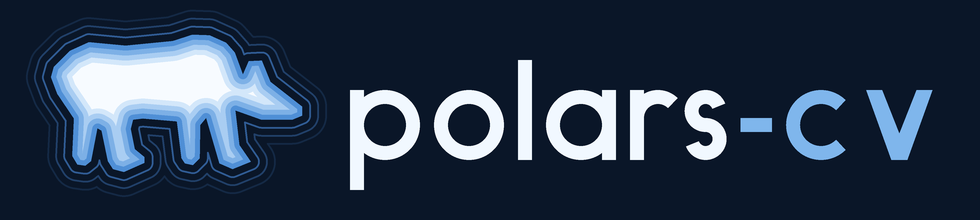
polars-cv draws. Contours are vector shapes, rasterize renders them, and the
image ops shade the result — all as Polars expressions, so a drawing is a
query and a column of drawings is one more row each. The project's logo is
made this way, start to finish
(docs/assets/logo/make_logo.py):
This page builds up the pieces it uses. Every example runs as written.
Shapes are data
A contour is a struct of exterior points, holes and is_closed
(CONTOUR_SCHEMA); a column of contour sets holds a
drawing per row. A closed contour is a region (its exterior minus its
holes); an open one (is_closed=False) is a line.
import math

import polars as pl

from polars_cv import Pipeline, numpy_from_column
from polars_cv.geometry.schemas import CONTOUR_SET_SCHEMA


def pts(points):
    return [{"x": float(x), "y": float(y)} for x, y in points]


def region(points, holes=()):
    return {"exterior": pts(points), "holes": [pts(h) for h in holes], "is_closed": True}


def line(points):
    return {"exterior": pts(points), "holes": [], "is_closed": False}


ring = region(
    [(4, 4), (28, 4), (28, 28), (4, 28)], holes=[[(12, 12), (20, 12), (20, 20), (12, 20)]]
)
zigzag = line([(2, 30), (10, 22), (18, 30), (26, 22)])
drawing = pl.DataFrame({"c": [[ring, zigzag]]}, schema={"c": CONTOUR_SET_SCHEMA})
Filling and stroking
rasterize fills a set's regions, as one union. A line has no region to
fill, so it is drawn by stroking first: stroke(width=, cap=, join=) is
the region every point within width / 2 of a path covers, its ends shaped
by cap ("round", "square", "butt") and its corners by join
("round", "miter", "bevel"). Every member is read as its outline, so
stroking a region draws its rings (a closed path has no ends, and neither has
a line that returns to its first point). To draw lines and fill regions in
one picture, rasterize the two sets as separate layers and stack them.
supersample=n anti-aliases: each pixel samples n x n points and is painted
in proportion to those inside.
import polars as pl

from polars_cv import Pipeline, numpy_from_column
from polars_cv.geometry.schemas import CONTOUR_SET_SCHEMA

square = {
    "exterior": [{"x": x, "y": y} for x, y in [(4.0, 4.0), (28.0, 4.0), (28.0, 28.0), (4.0, 28.0)]],
    "holes": [],
    "is_closed": True,
}
df = pl.DataFrame({"c": [[square]]}, schema={"c": CONTOUR_SET_SCHEMA})

filled = Pipeline().source("contour").rasterize(width=32, height=32, supersample=4)
outlined = (
    Pipeline().source("contour")
    .stroke(width=3.0, join="miter")
    .rasterize(width=32, height=32, supersample=4)
)
masks = df.select(
    filled=pl.col("c").cv.pipe(filled).sink("numpy"),
    outlined=pl.col("c").cv.pipe(outlined).sink("numpy"),
)
(outline,) = numpy_from_column(masks["outlined"], copy=True)
assert outline[16, 16, 0] == 0 and outline[4, 16, 0] == 255  # hollow, edge drawn
Shaping geometry
The contour ops edit shapes before they are drawn. Each is a pipeline op and
a .contour accessor (see Geometry):
| Op | What it does |
|---|---|
offset(distance, join=) |
Grow a set's regions (shrink, negative); merges or splits them |
union_all() |
Merge a set into disjoint regions |
union / intersection / difference / symmetric_difference |
Combine two sets |
smooth(iterations=) |
Round corners (Chaikin) |
densify(max_segment_length) |
Add points so no edge is longer than the bound |
simplify(tolerance) |
Drop points (Douglas-Peucker): facets |
boundary() / close() |
A region's rings as lines, and back |
stroke(width=, cap=, join=) |
The region a set's paths cover when drawn |
A halo is an offset; a crescent is a difference:
import math

import polars as pl

from polars_cv import Pipeline
from polars_cv.geometry.schemas import CONTOUR_SET_SCHEMA


def disc(cx, cy, r, n=64):
    ring = [
        {"x": cx + r * math.cos(2 * math.pi * i / n), "y": cy + r * math.sin(2 * math.pi * i / n)}
        for i in range(n)
    ]
    return {"exterior": ring, "holes": [], "is_closed": True}


df = pl.DataFrame(
    {"moon": [[disc(32, 32, 20)]], "shadow": [[disc(42, 26, 18)]]},
    schema={"moon": CONTOUR_SET_SCHEMA, "shadow": CONTOUR_SET_SCHEMA},
)
crescent = pl.col("moon").contour.difference(pl.col("shadow"))
halo = crescent.contour.offset(3.0).contour.difference(crescent)
out = df.select(crescent=crescent, halo=halo)
assert out["halo"].list.len().item() >= 1
Fields over pixels
Some looks are easiest as a value per pixel, shaded afterwards:
distance_transform(signed=True)gives each pixel its distance to a mask's edge, negative inside: iso-lines of it are inward and outward offsets.coordinate_grid(normalized=)gives each pixel its own(x, y), for gradients and falloffs built with the arithmetic ops.
import numpy as np
import polars as pl

from polars_cv import Pipeline, numpy_from_column

df = pl.DataFrame({"m": [np.zeros((48, 64), np.uint8)]}, schema={"m": pl.Array(pl.UInt8, (48, 64))})
# A horizontal ramp from 0 to 255, then quantised to 4 bands.
ramp = (
    Pipeline().source("array")
    .coordinate_grid(normalized=True)
    .channel_select(0)
    .scale(4.0)
    .floor()
    .scale(85.0)
    .clamp(0, 255, out_dtype="u8")
)
(bands,) = numpy_from_column(df.select(pl.col("m").cv.pipe(ramp).sink("numpy")).to_series(), copy=True)
assert set(np.unique(bands)) == {0, 85, 170, 255}
Colour: an index map and a palette
Rather than mixing colour channels by hand, paint each layer as a small
integer index, combine the layers with maximum (a higher index is drawn
over a lower one), and colour the result once with apply_lut: a table of one
[r, g, b] row per index takes the single-channel map to three channels.
rasterize(fill_value=) paints a layer at its index; floor and
clamp(out_dtype="u8") turn a field into indices.
import polars as pl

from polars_cv import Pipeline
from polars_cv.geometry.schemas import CONTOUR_SET_SCHEMA


def rect(x0, y0, x1, y1, closed=True):
    corners = [(x0, y0), (x1, y0), (x1, y1), (x0, y1)]
    return {"exterior": [{"x": float(x), "y": float(y)} for x, y in corners], "holes": [], "is_closed": closed}


df = pl.DataFrame(
    {"base": [[rect(4, 4, 44, 44)]], "mark": [[rect(16, 16, 32, 32, closed=False)]]},
    schema={"base": CONTOUR_SET_SCHEMA, "mark": CONTOUR_SET_SCHEMA},
)
palette = [[10, 22, 40], [79, 143, 214], [247, 251, 255]]  # background, base, mark
canvas = {"width": 48, "height": 48}
base = pl.col("base").cv.pipe(Pipeline().source("contour").rasterize(**canvas, fill_value=1))
mark = pl.col("mark").cv.pipe(
    Pipeline().source("contour").stroke(width=3.0).rasterize(**canvas, fill_value=2)
)
png = df.select(base.maximum(mark).apply_lut(palette).sink("png")).item()
assert png[:4] == b"\x89PNG"
An index map has no in-between values, so its edges are hard. Draw it at a
multiple of the target size and resize down (lanczos averages each block):
that anti-aliases every layer at once, which supersample cannot do for
indices.
The logo
make_logo.py
puts it together, as one graph over five contour columns at four times the
final size:
- The bear (
bear.py): overlapping ellipses and capsules are rasterized, blurred and thresholded so they fuse into one body (the metaball trick), then traced withextract_contoursand faceted withsimplify. - Terraces: the bear's mask through
distance_transform(signed=True), its depth over the terrace stepfloored into indices 1 to 5. - Contour lines: the bear
offsetoutward three times, each offsetstroked and rasterized at its own index. - The wordmark (
wordmark.py): glyph centrelines stroked at the font's weight with butt caps, and thev's polygon filled, as two layers. maximumstacks the layers,apply_lutcolours them, and a lanczosresizeto the final size anti-aliases the lot into a PNG.
Another take: a halftone bear
halftone_logo.py
draws the bear with no hand-placed points and no outline at all:
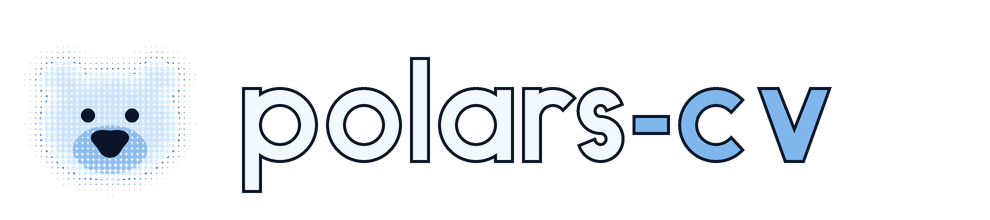
- A polar bear in polar coordinates. Each part of the face is one row of
a DataFrame describing a curve
r(θ): the head is a circle widened by acos 2θterm with an ear grown out of each side of the crown, and the nose is acos 3θrounded triangle.int_ranges+explodesample the curves, expressions evaluate them, andgroup_by+implodegather the points into contour sets: the geometry is a polars query. - The silhouette emerges from dot size. The head's
distance_transform(signed=True)sets a dot radius per pixel, stepping up at the edge, growing inward and fading outward. Aresizedown to the cell grid and back up withfilter="nearest"samples it once per cell;coordinate_gridminus its ownflooris each pixel's offset in its cell, and a dot is wherever that offset is shorter than the radius. - The muzzle's dots take a second index, the eyes and nose are inked over
them, and
apply_lutcolours the map as above, with an RGBA palette whose background is transparent. Each letter sits on an ink outline (the letter grown byoffset(..., join="miter")), so the logo reads on a light page as well as a dark one.
rasterize, channel_select and grayscale all return [H, W, 1], so the
halftone's layers combine as they are. The binary ops need operands of one
shape (NumPy would broadcast [H, W, 1] against [H, W] to [H, W, W] on a
square canvas): where a layer is [H, W], expand_dims(-1) or
squeeze(-1) says which rank you mean, and channel_select(i,
keepdims=False) gives a channel as [H, W].